
Upgrading an electric scooter to XOD hydraulic brakes can be straightforward when the brake model, sensor connector and mounting clearance are confirmed first. Most frustrating installation problems begin when one of those details is assumed instead of checked.
Based on real customer questions and installation cases handled by XODbrakes.com, four problems appear again and again: the brake sensor connector does not match, the motor or wheel behaves as if it is locked, the caliper does not have enough clearance, or the wrong H800/H880 version is ordered.
1Brake Sensor Connector Doesn't Match the Scooter
One of the easiest mistakes to make is assuming that every electric scooter uses the same brake sensor connector.
XOD H-Series brake levers use a motor power-off sensor, and many compatible scooter applications use a 2-pin waterproof connector. But a brake can physically fit the handlebar and caliper mount while its electrical connector still does not match the scooter.
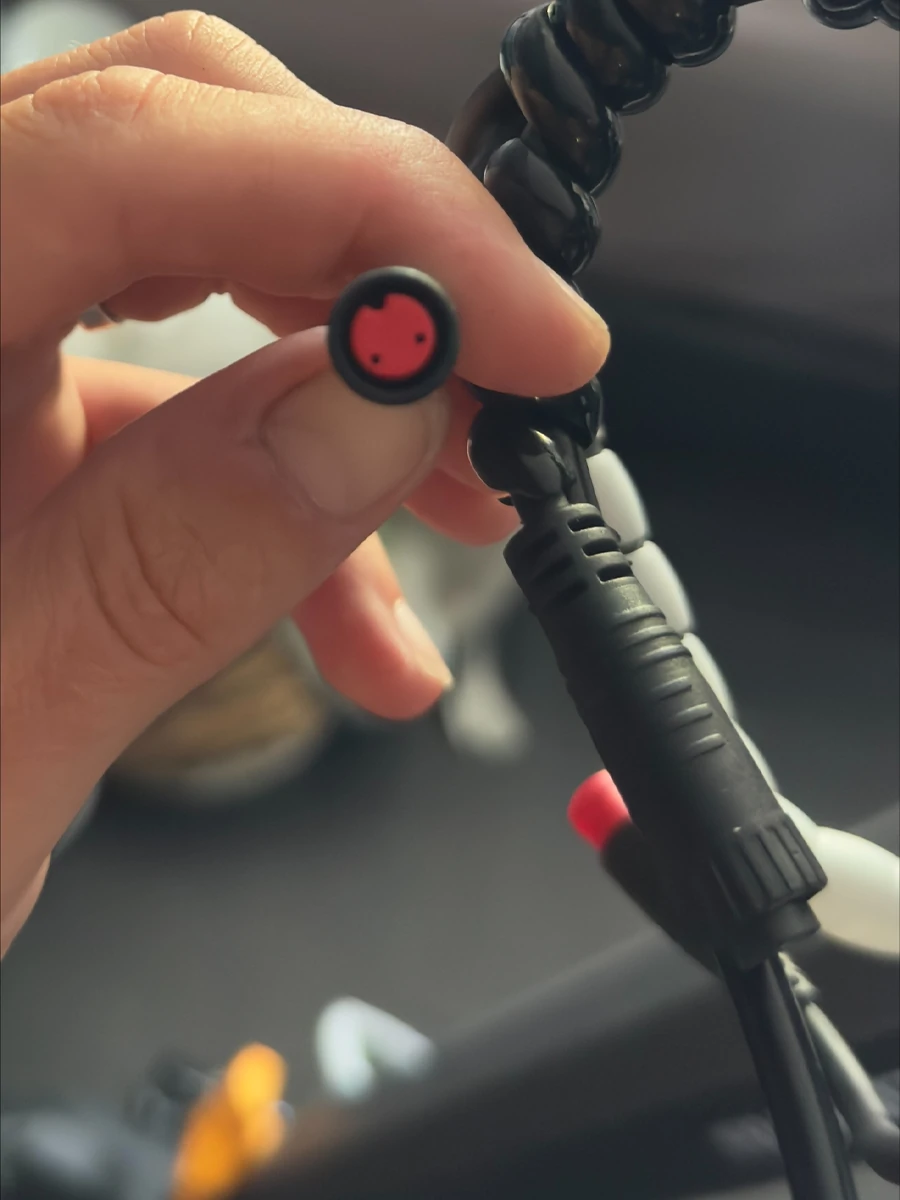
KuKirin G2 and G4: use the dedicated adapter cable
Among the currently sold KuKirin models we have checked, KuKirin G2 and KuKirin G4 are the two models that require a dedicated brake sensor adapter cable when installing the corresponding XOD brake setup.
The hydraulic brake itself can still be installed, but the sensor connection should not simply be forced into the original wiring.
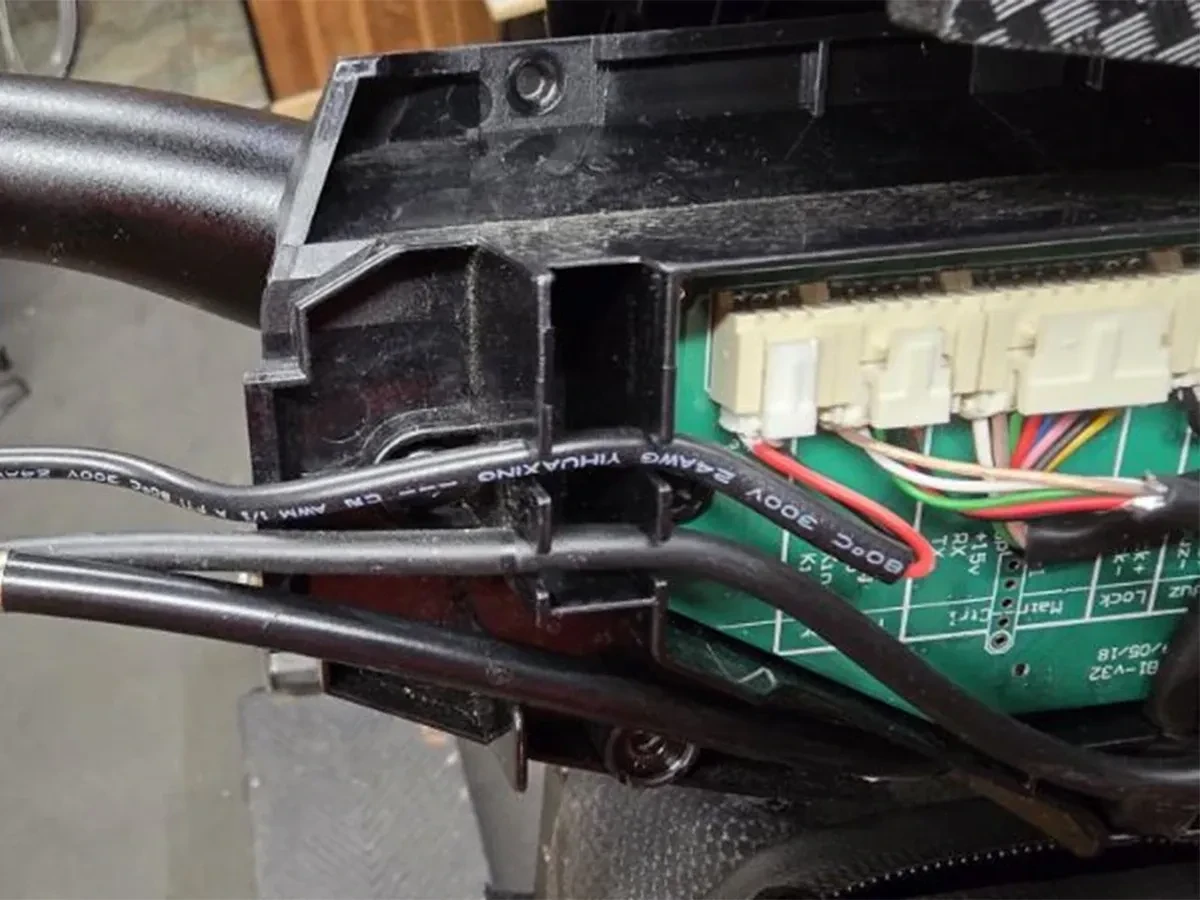
If you own a G2 or G4, do not wait until the scooter is disassembled to discover the connector mismatch. Confirm the adapter before installation.
You can also review the XOD H-Series KuKirin hydraulic brake upgrade page for current model-specific information.
KuKirin A1: there is no factory plug-and-play sensor port
KuKirin A1 is a different situation. The factory wiring does not provide a reserved plug that allows the XOD brake sensor to connect directly.
This does not mean the hydraulic brake sensor can never be used. A qualified electric scooter technician can manually rewire or replace the brake lever connector so the sensor can be integrated correctly.
Because this modification involves the scooter's electrical wiring, we recommend taking the A1 to a qualified electric scooter repair shop and asking a technician to replace or modify the brake lever connector.
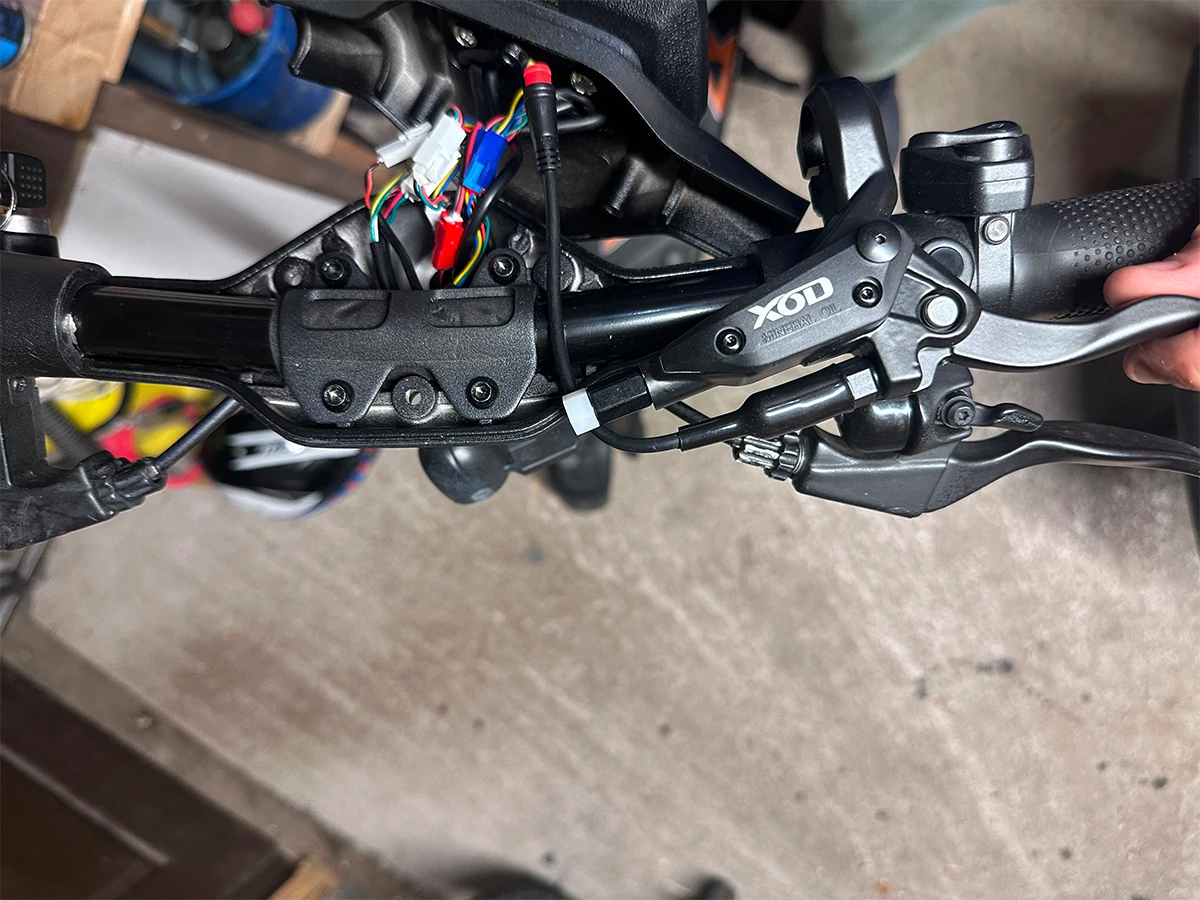
What about Ausom and Joyor?
In the Ausom and Joyor configurations currently supported on XODbrakes.com, the brake sensor interface uses the familiar 2-pin connection, so these applications are generally more straightforward than G2, G4 or A1.
See the current XOD hydraulic brakes for Ausom scooters and XOD hydraulic brakes for Joyor scooters for model-specific notes.
Confirmed compatible 2-pin connector and wiring → connect as instructed
KuKirin G2 / G4 → use dedicated adapter
KuKirin A1 → qualified technician modifies the connector
Unknown model → send us a connector photo before ordering
2The Motor or Wheel Feels Locked After Installing the Brake Lever
This is one of the most alarming messages a rider can send after a brake upgrade: "I installed the brake and now the motor or wheel seems locked."
That symptom should not immediately be treated as proof that the motor has failed.
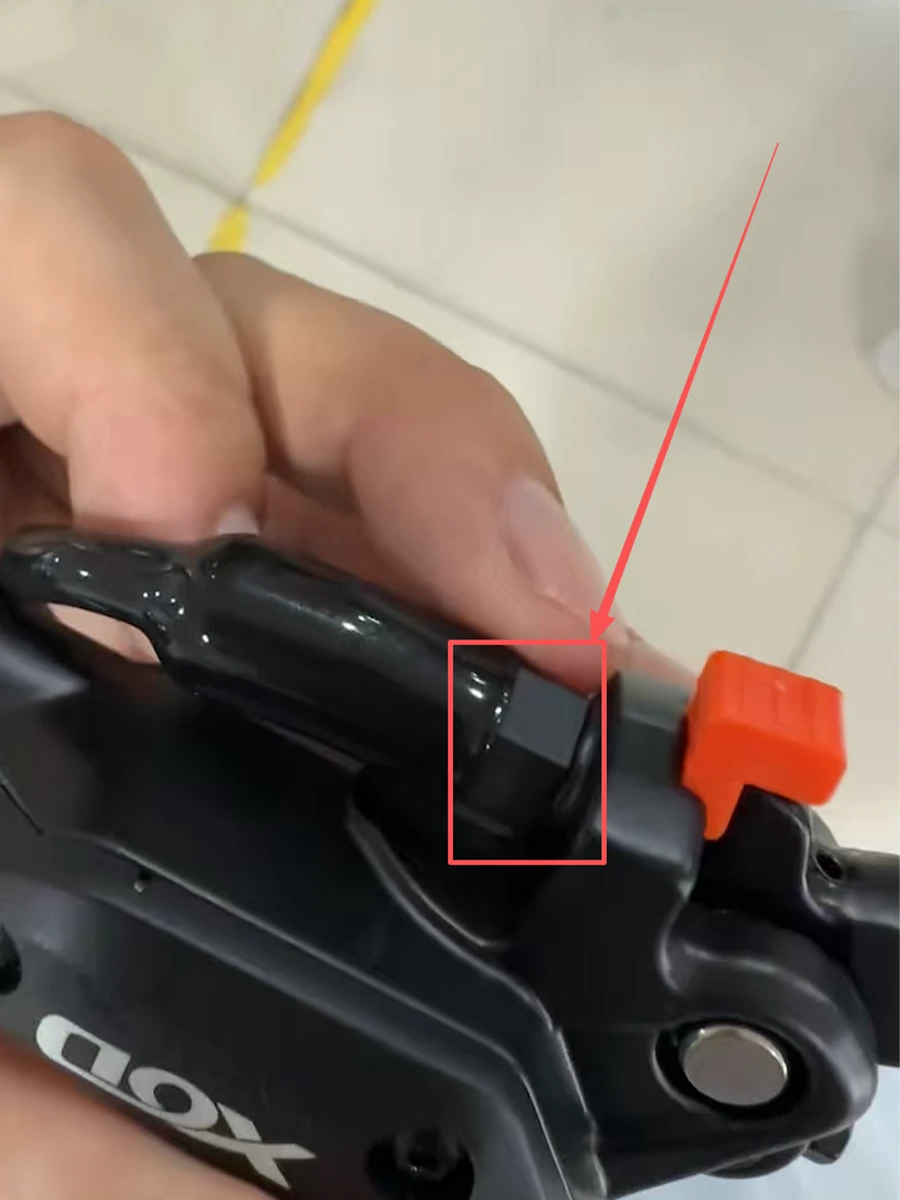
In one case we handled, the brake lever sensor had not been installed correctly and the sensor contact was unstable. After the sensor fixing nut was tightened again and the brake lever was reinstalled correctly, the abnormal behavior was resolved.
What should you check first?
- Power the scooter off before inspecting the brake system.
- Check whether the brake lever sensor is seated in the correct position.
- Check the sensor retaining or fixing nut for looseness.
- Reinstall the brake lever and sensor correctly if necessary.
- Confirm that the connector is fully seated and not being pulled by the cable.
- After reassembly, test the brake and motor cut-off function at very low speed before normal riding.
If the wheel remains physically difficult to rotate even when the scooter is powered off, do not assume the sensor is the only cause. Check whether the rotor is rubbing heavily against the pads or caliper and stop riding until the mechanical interference is corrected.
This distinction matters because electrical sensor problems and physical caliper interference can produce very different faults even if the rider describes both as "the motor is locked."
3The Bolts Line Up, but the Hydraulic Caliper Still Doesn't Fit
A common installation assumption is:
Unfortunately, hydraulic calipers are wider than many original mechanical brake calipers. The mounting holes can align perfectly while the caliper body still touches the tire, motor hub, bracket or rotor.
This is why mounting-hole compatibility is not the same as caliper clearance.
Real KuKirin G2 Pro rear-wheel clearance problem
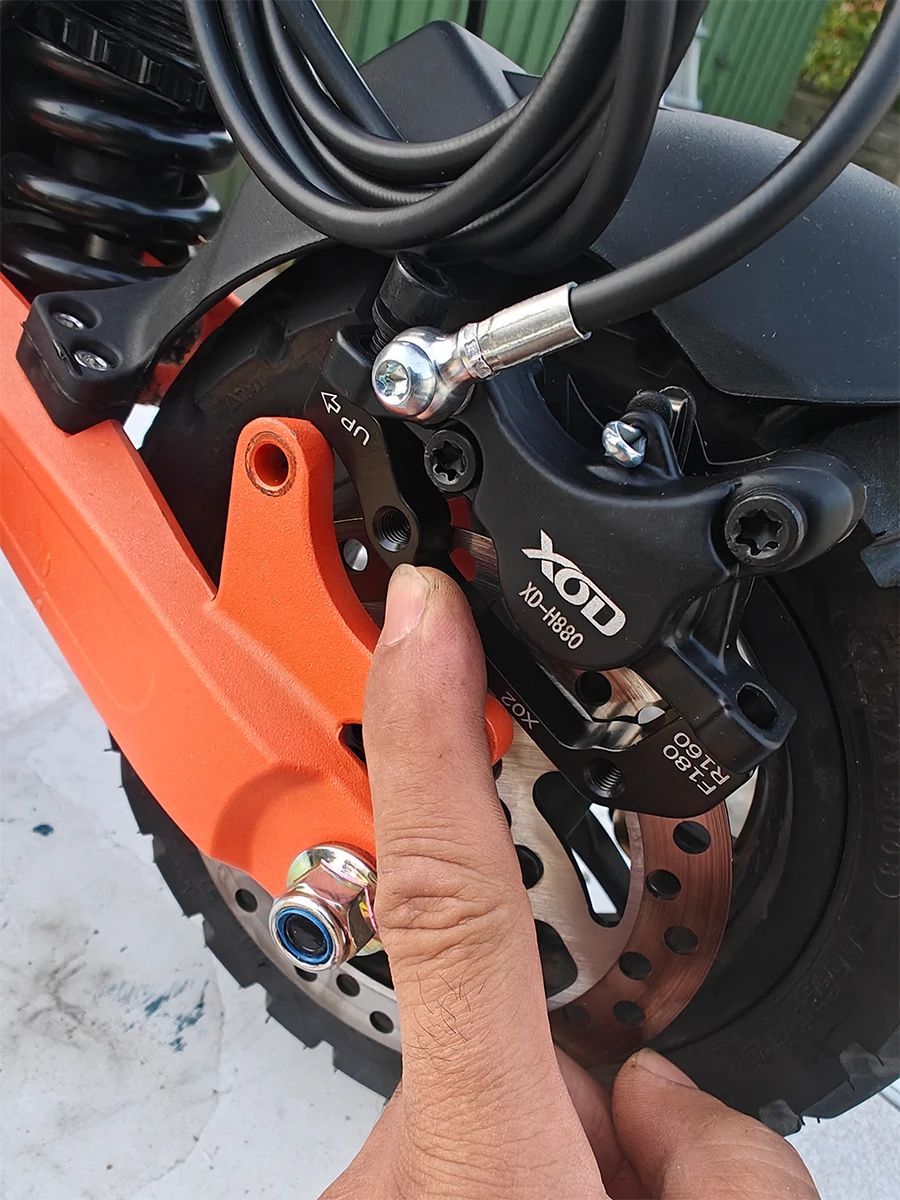
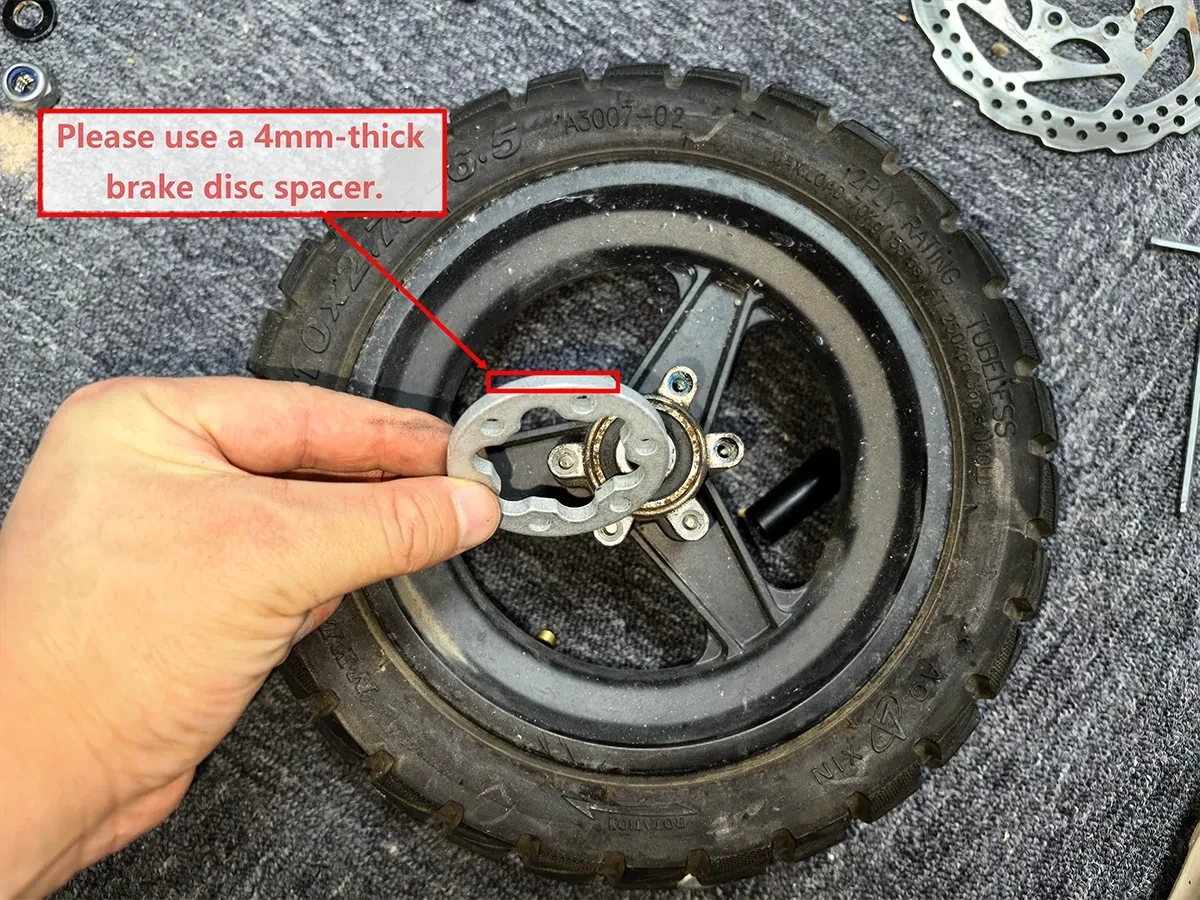
Our current KuKirin fitment experience shows why the G2 family needs extra attention. The G2 front wheel requires additional rotor spacing in the relevant XOD setup, while G2 Pro and G2 Max installations can also require additional front and rear clearance depending on the exact model version and brake layout.
The 4 mm spacer shown above is a real G2 installation example, not a universal spacer specification for every KuKirin. Model year, wheel position, rotor, bracket and actual clearance must still be checked.
For more G2 Pro and G2 Max installation details, read our KuKirin G2 Pro & G2 Max hydraulic brake installation mistakes guide.
Another real mistake: removing the metal mounting washer
Spacer clearance is not the only small hardware detail that matters.
We also handled a real customer case where the brake was installed without the required metal washer on the caliper mounting bolt. The customer reported rotor rubbing and difficulty rotating the wheel freely. Inspection of the installation photos showed abnormal contact and wear on the caliper.
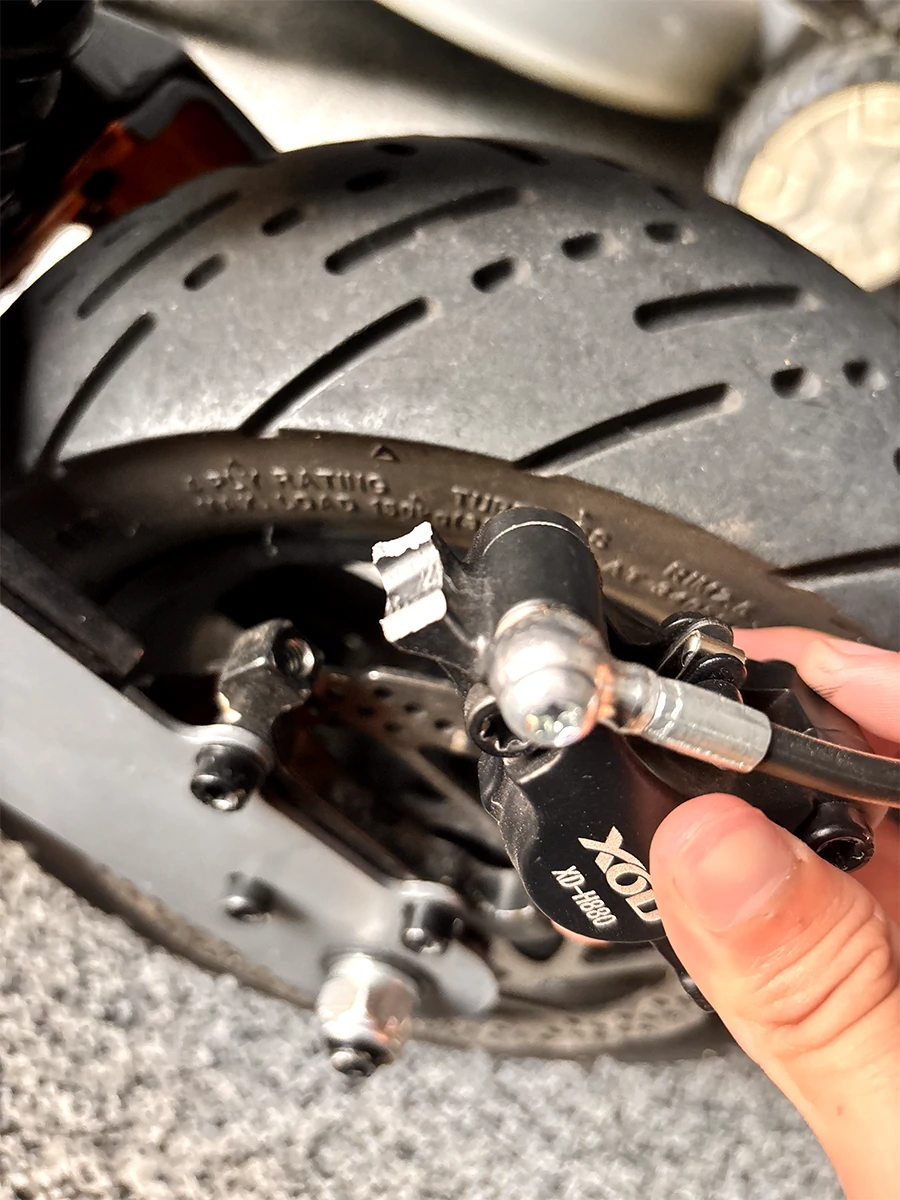
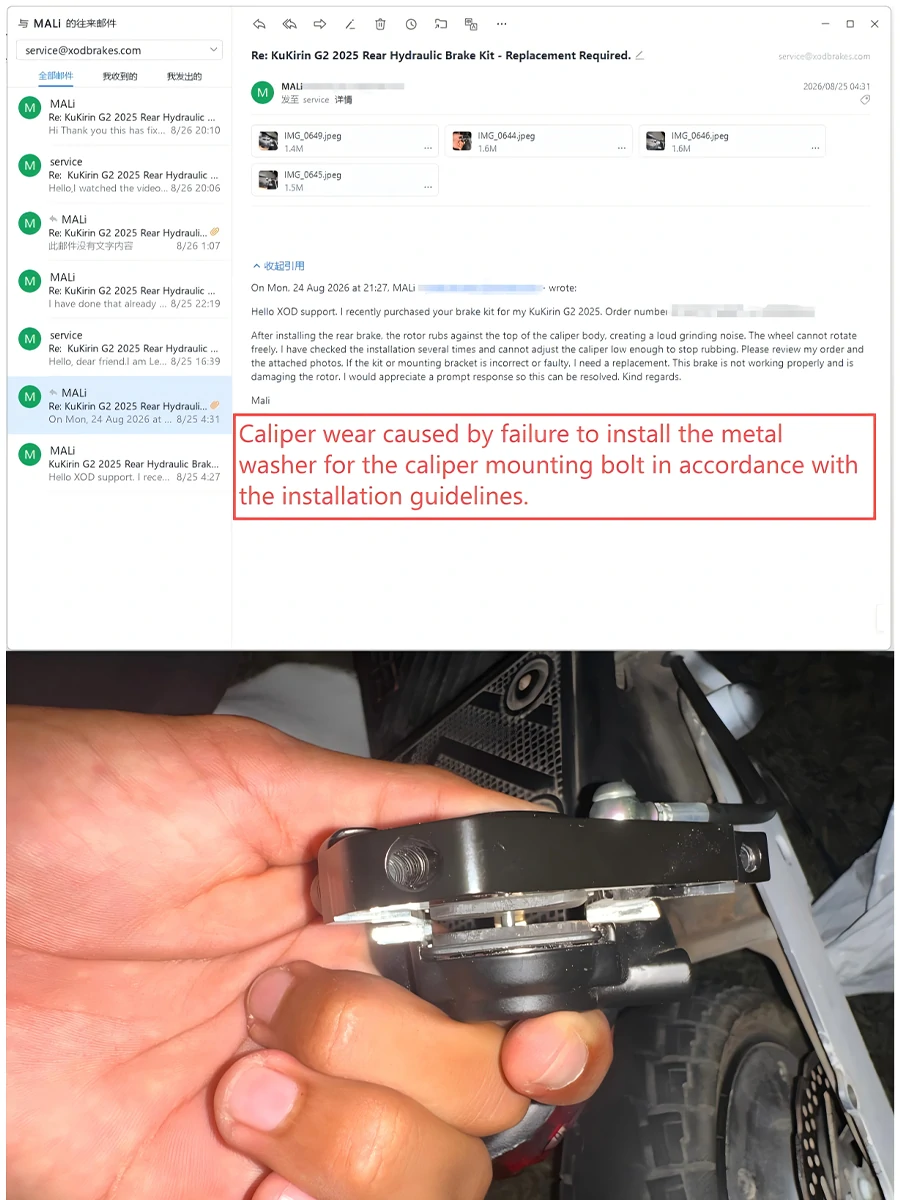
Do not throw away original brackets, washers or spacers until the new brake installation is fully completed and tested. Small factory hardware can be essential for alignment and clearance.
Before tightening a hydraulic caliper fully, rotate the wheel by hand and confirm that the rotor does not constantly rub against the caliper body or pads.
4H800 or H880 Was Chosen by "Front vs Rear" Instead of Actual Fitment
Another common XOD hydraulic brake mistake happens before installation even begins: the rider assumes that H800 always means front brake and H880 always means rear brake.
That rule is not reliable.
H800 and H880 are caliper configurations, not universal front/rear labels
For the rear wheel, brake disc side often makes the selection easier. For the front wheel, however, you also need to consider the front fork or suspension structure and the caliper mounting position.
This is why two scooters with brake discs on similar sides may still use different front calipers.
Front H880
Rear H800
Front H800
Rear H880
Front H880
Rear H880
Send photos first.
The G2 Master 2025 example is especially useful because it proves why the simple "H800 front / H880 rear" rule fails: that configuration uses H880 on both wheels.
Before choosing the exact model, read the full XOD H800 vs H880 fitment guide.
Rear wheel → check disc side + caliper direction
Front wheel → check disc side + fork structure + mounting position
Then → confirm connector, rotor clearance and hose routing
📸 What We Check Before Confirming an Unfamiliar Scooter Model
If we have not previously confirmed a scooter model, we prefer to check the real vehicle instead of guessing from a product listing or another rider's installation.
Send clear photos showing:
Brand, exact model and model year if known.
Show the front wheel, rotor side, fork and caliper mount.
Show the rear wheel, rotor side and mounting area.
A close photo of the original electrical connector is especially important.
Show original washers, spacers and mounting hardware.
If possible, show the space between rotor, hub, tire and existing caliper.
This is particularly important for less familiar scooter brands or newly released model years, because manufacturers can change wiring, forks, brake disc sides and mounting hardware without changing the main model name.
If you are not sure which XOD series you need in the first place, start with our XOD Hydraulic Brake Series Selection Guide.
If you already know you need the electric-scooter H Series, see the XOD H-Series universal hydraulic brake kit.
🔧 A Safer Installation Order
A good installation should not begin by tightening every bolt immediately.
- Confirm the exact brake model and sensor connector before removing the original system.
- Keep the original bracket, washers, spacers and bolts organized.
- Position the caliper loosely and check physical clearance first.
- Install the rotor spacer if the specific vehicle requires one.
- Center the caliper over the rotor before final tightening.
- Check the brake lever sensor and electrical connector.
- Rotate the wheel manually and verify that it moves freely.
- Test the motor power-off function.
- Perform a controlled low-speed braking test before normal riding.
For a more complete KuKirin installation walkthrough, see How to Put Hydraulic Brakes on a KuKirin Electric Scooter.
❓ XOD Hydraulic Brake Fitment FAQ
Does the XOD H-Series brake lever include a motor power-off sensor?
Yes. Compatible XOD H-Series brake lever configurations include a motor power-off sensor. However, the connector still needs to match the scooter's original wiring, so check the original brake lever connector before ordering.
Why doesn't my XOD brake sensor plug directly into a KuKirin G2 or G4?
KuKirin G2 and G4 use a different factory connection in the setups we currently support. A dedicated adapter cable is used to connect the XOD brake sensor to the scooter's original electrical system.
Can a KuKirin A1 use the XOD brake sensor?
Yes, but it is not plug-and-play. The KuKirin A1 does not provide a factory-reserved connector for the XOD brake sensor. A qualified electric scooter technician can modify or replace the brake lever connector to complete the connection.
Why does my scooter motor or wheel feel locked after installing hydraulic brakes?
There can be more than one cause. In one real case we handled, incorrect brake lever sensor installation or poor sensor contact was resolved by tightening the sensor fixing nut and reinstalling the brake lever. If the wheel is physically difficult to rotate with the scooter powered off, also inspect the rotor and caliper for mechanical rubbing.
Why does the XOD caliper not fit even though the mounting bolts line up?
The bolt holes can match while lateral caliper clearance remains insufficient. The hydraulic caliper may contact the hub, tire, bracket or rotor. Some scooter installations therefore require a brake rotor spacer or additional alignment hardware.
Does KuKirin G2 need a brake rotor spacer?
The G2 front-wheel XOD installation can require additional rotor spacing. The 4 mm spacer shown in this article is a real installation example. Do not assume the same spacer thickness applies to every KuKirin model or model year.
Are H800 and H880 simply front and rear brakes?
No. H800 and H880 are different caliper configurations. Rear fitment often depends on brake disc side, while front fitment must also account for fork structure and caliper mounting position.
What should I send if I do not know which XOD brake fits my scooter?
Send the exact scooter model plus clear photos of the front brake area, rear brake area and original brake lever connector. Photos of the existing brackets, washers and spacers are also helpful.
✅ Final Takeaway: Most Fitment Problems Can Be Caught Before Installation
The four cases in this guide look different, but they share the same root lesson: do not confirm an XOD hydraulic brake upgrade from the scooter name alone.
Check the electrical interface, brake lever sensor, physical mounting clearance, original hardware and exact caliper direction before completing the installation.
A few clear photos before ordering can be far easier than diagnosing a rubbing caliper or incompatible connector after the scooter has already been taken apart.
Send your scooter model plus clear front-wheel, rear-wheel and brake-lever connector photos to service@xodbrakes.com before ordering.
You can also browse the XOD H-Series hydraulic brake range or read the H800 vs H880 fitment guide.